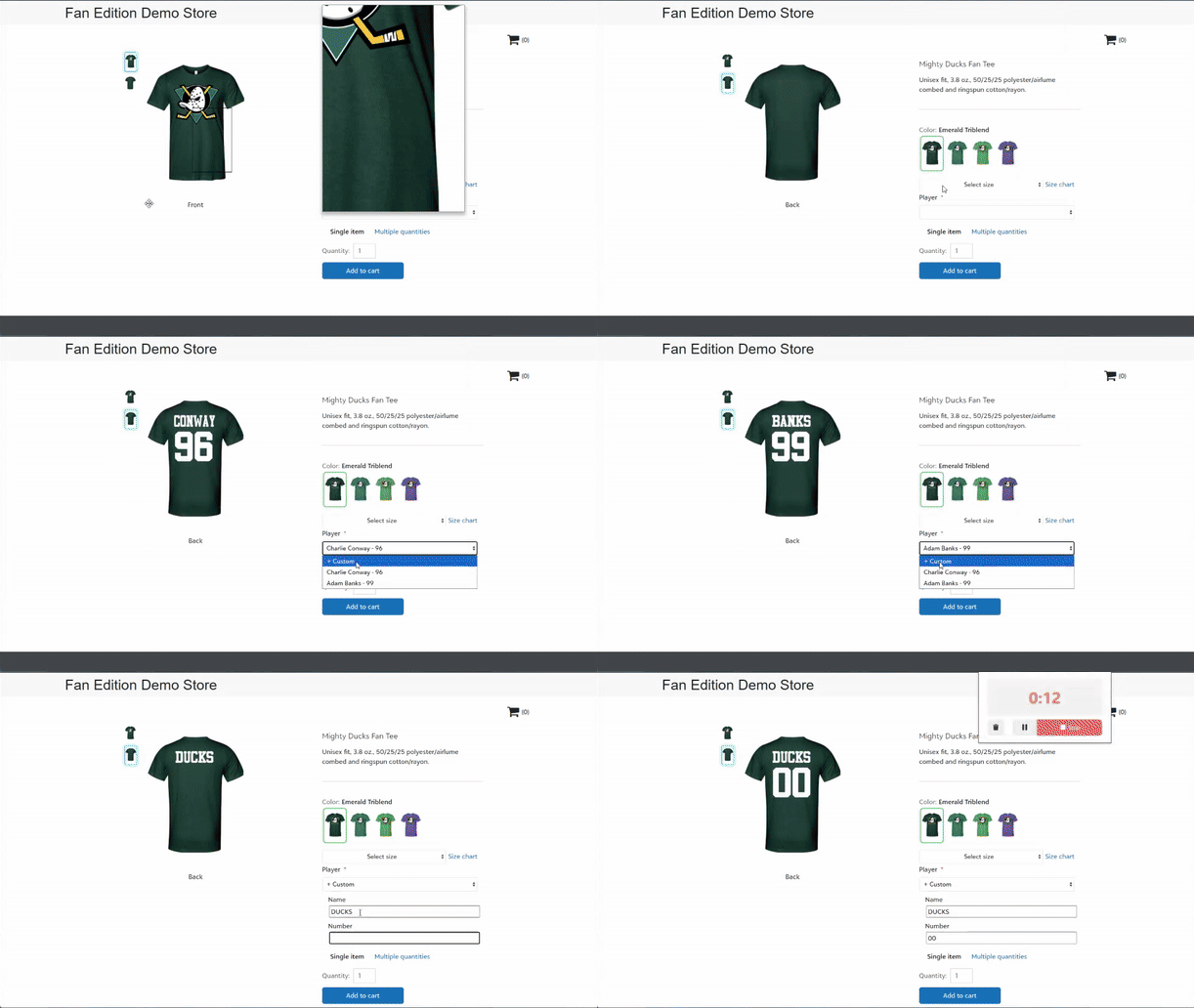
Rosters are here! In your store configuration, select the Rosters tile to add and manage rosters for your store.
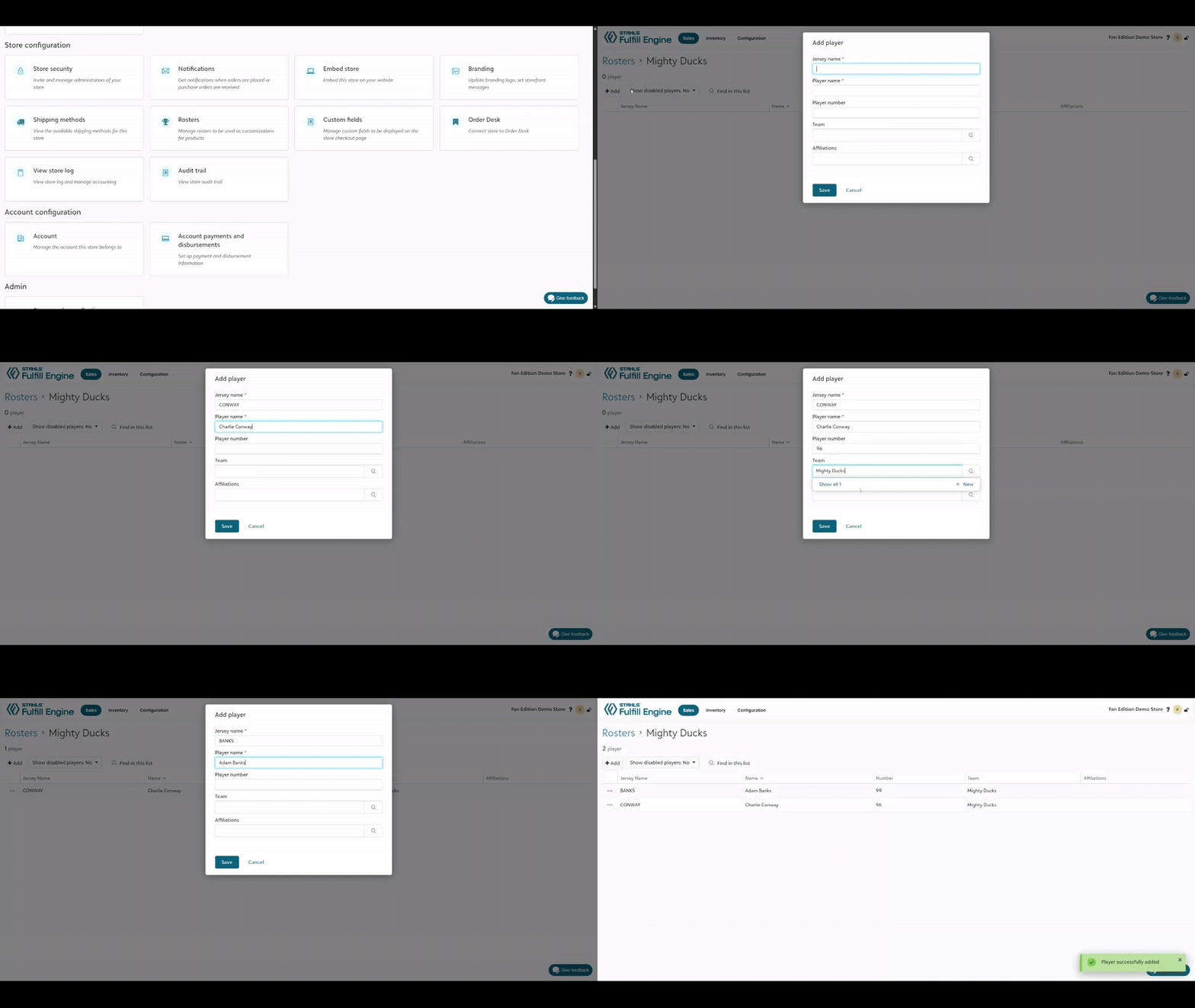
Roster details
Your store has an unlimited number of rosters and rosters are only shown when connected to products so you can create as many as you need. Each roster member can have the following associated details:
Jersey name: this is the name as it will be printed on any customized products using the name field so you'll likely want it to be in ALL CAPS.
Player name: this field will populate in the storefront dropdown when the customer is choosing their player for customization.
Player number (optional): player number can be connected to customizations; if a player will choose their own number in the storefront, leave this field blank.
Team (optional): an optional field that can be used to tie a player to an image component.
Affiliations (optional): enter a licensing association for any players with royalty deals. This will capture any orders in which that player name is used for reporting to the appropriate association. Royalty reports are available in the additional links section of the sales portal.
Building roster-enabled products
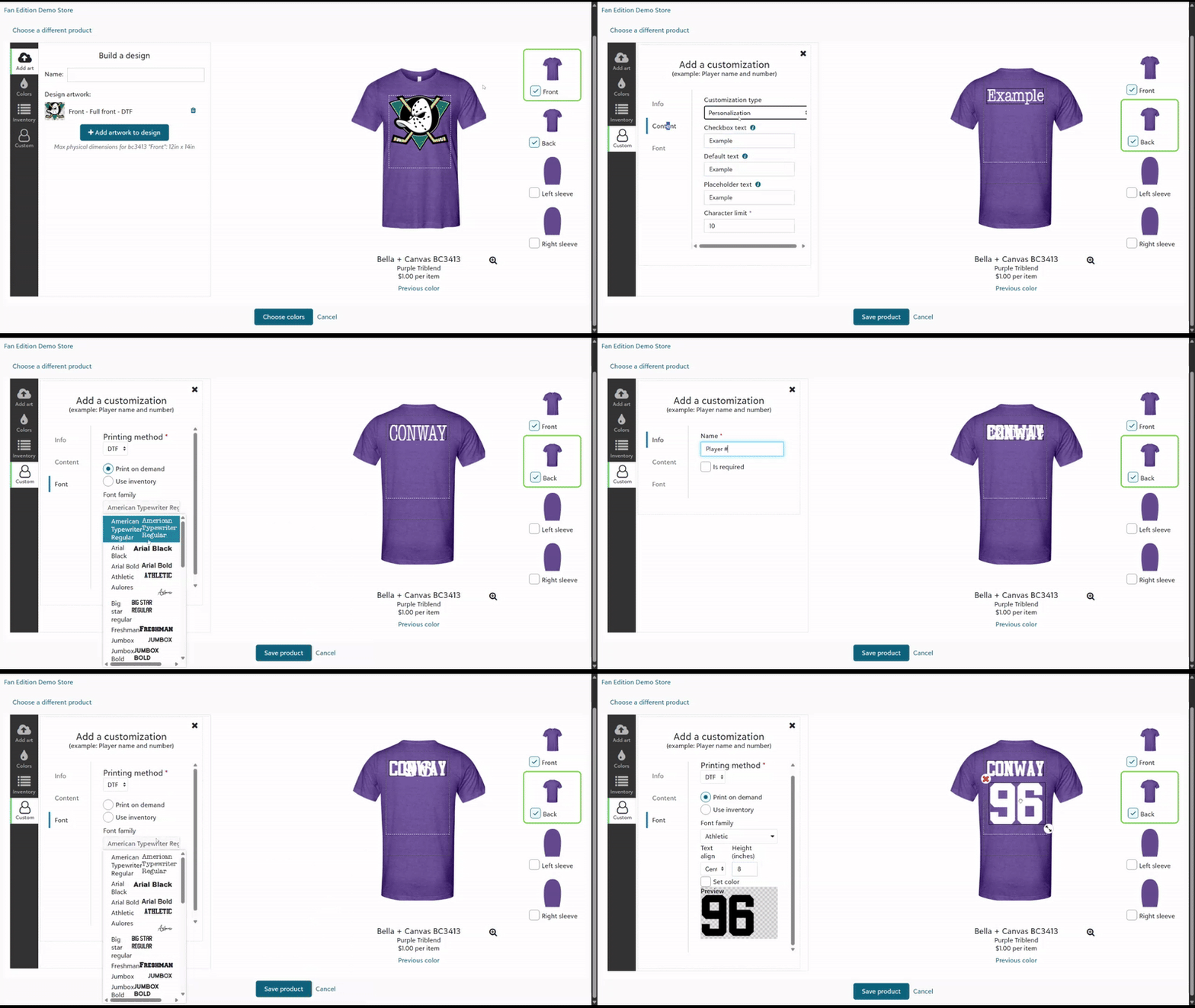
Roster customizations can be paired with standard artwork or even image customizations. When creating or editing a design, select the image corresponding to the print location you want your roster customization to live on then + create new.
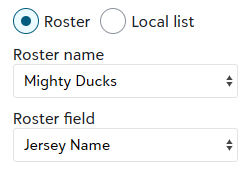
If you'd like to limit customization to only your roster entries, select Static values as the customization type or if you'd like to pair your roster with customer personalization, select Static values with personalization. Once you choose one of those two types, you'll see radio options for Roster or Local list appear. Roster will be selected by default and allow you to choose a roster from your store and connect the customization to Jersey Name, Number, or Team (images only). The field you connect your customization to will be the information that is added to the product when a roster member is chosen in the storefront.
Set your desired font and size and you've successfully created a roster customization!
Storefront experience
Now that you've built your new store product, invite your team players, friends, and fans to build their own print on demand gear!